AI Fusio
AiFusio MC
the agent console we build for our clients — now free for you
This is the production-grade platform AI Fusio uses to integrate AI into mid-market businesses — chat, memory, multi-agent missions, cross-machine bridge, mobile PWA. We open-sourced it because the best demo of what we build is letting you run it yourself.
$ npx @aifusiomc/create-fusio
The platform behind AI Fusio's client work — now free for you
AI Fusio integrates AI into mid-market businesses every day. The implementations we ship aren't ChatGPT skins or no-code workflows — they're real production platforms with memory, multi-agent orchestration, audit trails, and cross-system integration. AiFusio MC is what we built for ourselves to do that work, and what we customize for our clients.
We open-sourced it for two reasons. First, it's the most honest demo of what AI Fusio actually delivers — see the engineering before you ever talk to us. Second, if you run a small team and want to start experimenting with agentic AI on your own data, you shouldn't have to pay $200/seat/month for tools that lock your data into someone else's cloud. The single-user version of this is a gift; the version customized to your company's systems, processes, and data — that's where we come in.
What it is
AiFusio MC (codename Fusio) is a local web app you run on your own machine. It orchestrates Claude, Codex, and any LLM via the MCP fabric with a curated skill library, durable SQLite memory, multi-agent missions, and an optional cross-machine bridge. What every commercial agent tool would ship if they didn't have multi-tenant concerns to worry about.
Runs on Linux, Windows, and macOS. Same app in the browser, same app as a mobile PWA, same app over SSH in a terminal. Your data lives at data/ — chats, memory, missions — all yours, all local, all backupable.
What's inside
Each of these is built into the app — no plugins, no upgrades, no Pro tier.
Per-turn skill auto-load
Every chat turn matches regex triggers against the user's prompt and inlines up to 4 relevant skills (12 KB cap). 400+ skills indexed across 5 active repos. No @-mention ceremony.
Real persistent memory
SQLite with local embeddings via @huggingface/transformers. Captures every tool call, compresses every 30s, semantically retrieves on demand. The agent picks up multi-day projects mid-stream.
Cross-provider scrutiny
Missions runs Claude (Opus 4.7) for orchestration + Sonnet 4.6 for implementation + GPT-5 Codex for audit + Playwright for behavioral testing. Different model families = independent verdicts.
Validation contract before code
For multi-phase deliverables, typed assertions get written before any code. Workers can't claim "done" until scrutiny + behavioral checks pass. Self-heals up to 3 follow-up phases.
Multi-machine bridge
Run on 2+ boxes (Linux server + Windows workstation, anything reachable). SSE-streamed peer chat over Tailscale. Each agent sees what the other just edited, every turn. Survives caller restarts.
Mobile PWA
Install on Android/iOS over Tailscale (HTTPS proxy included). Bottom-nav mobile UI. Terminal-look fullscreen chat mode that mirrors Claude Code in Termius. Multi-device live streaming via SSE fan-out.
16-role teams
Constellation panel for multi-stream parallel work. Architect proposes plan, agents work in parallel, ship gate runs final audit before merging the worktree. 12 presets (audit, security, performance, refactor, …).
Approval gate
Tool-call approval for destructive Bash patterns AND destructive Edit/Write on protected paths (trust files, secrets, ~/.ssh, /etc/, memory DB, mission state). Allow-listed protection without surprises.
Built-in Dev tab
DeployDashboard, GitPanel, TestRunner, ApiTester, DatabaseExplorer, ErrorTracker, CodeSnippets, ClaudeCodeTerminal, xterm.js shell, CodeMirror editor — all in one tab.
What it looks like
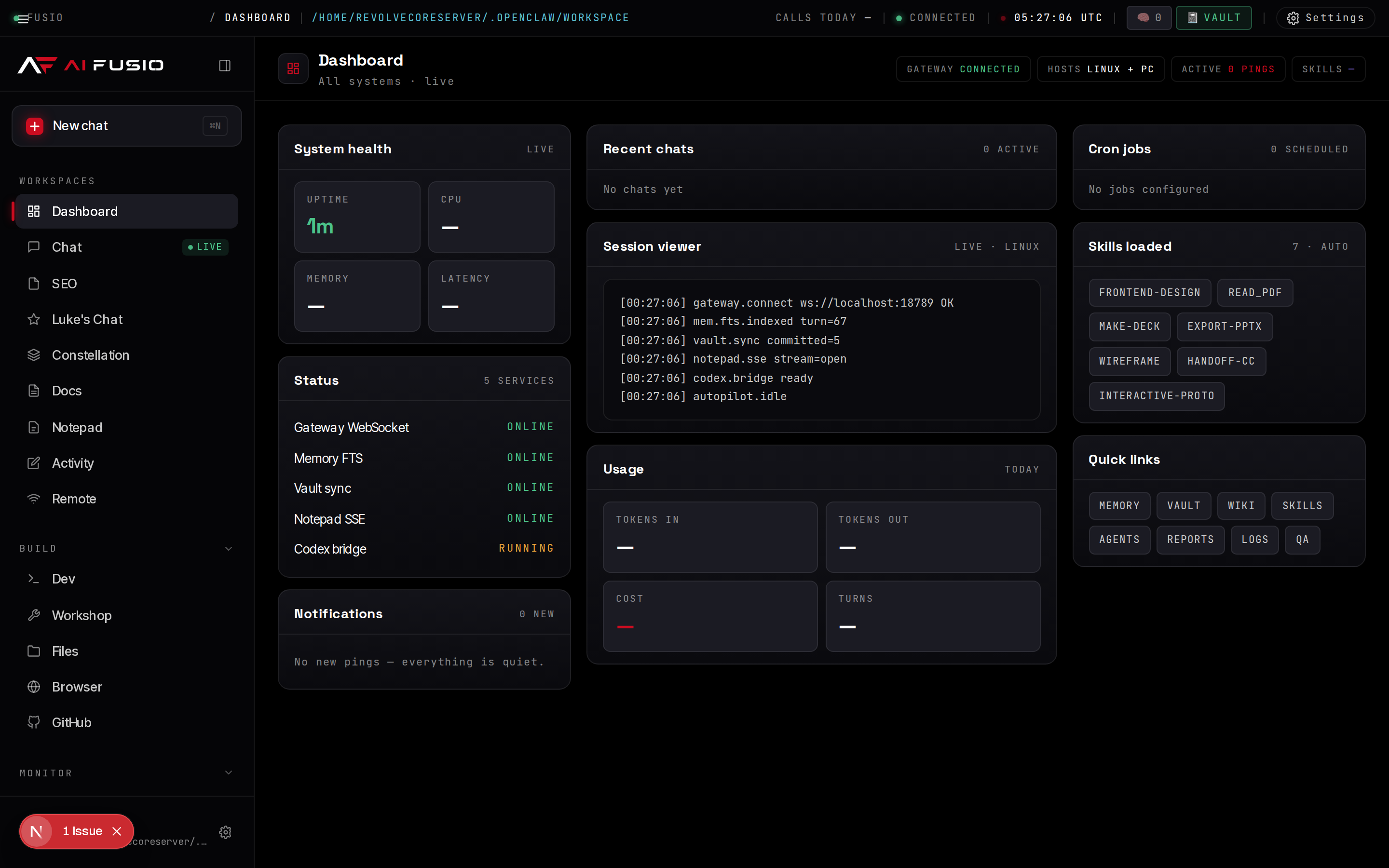
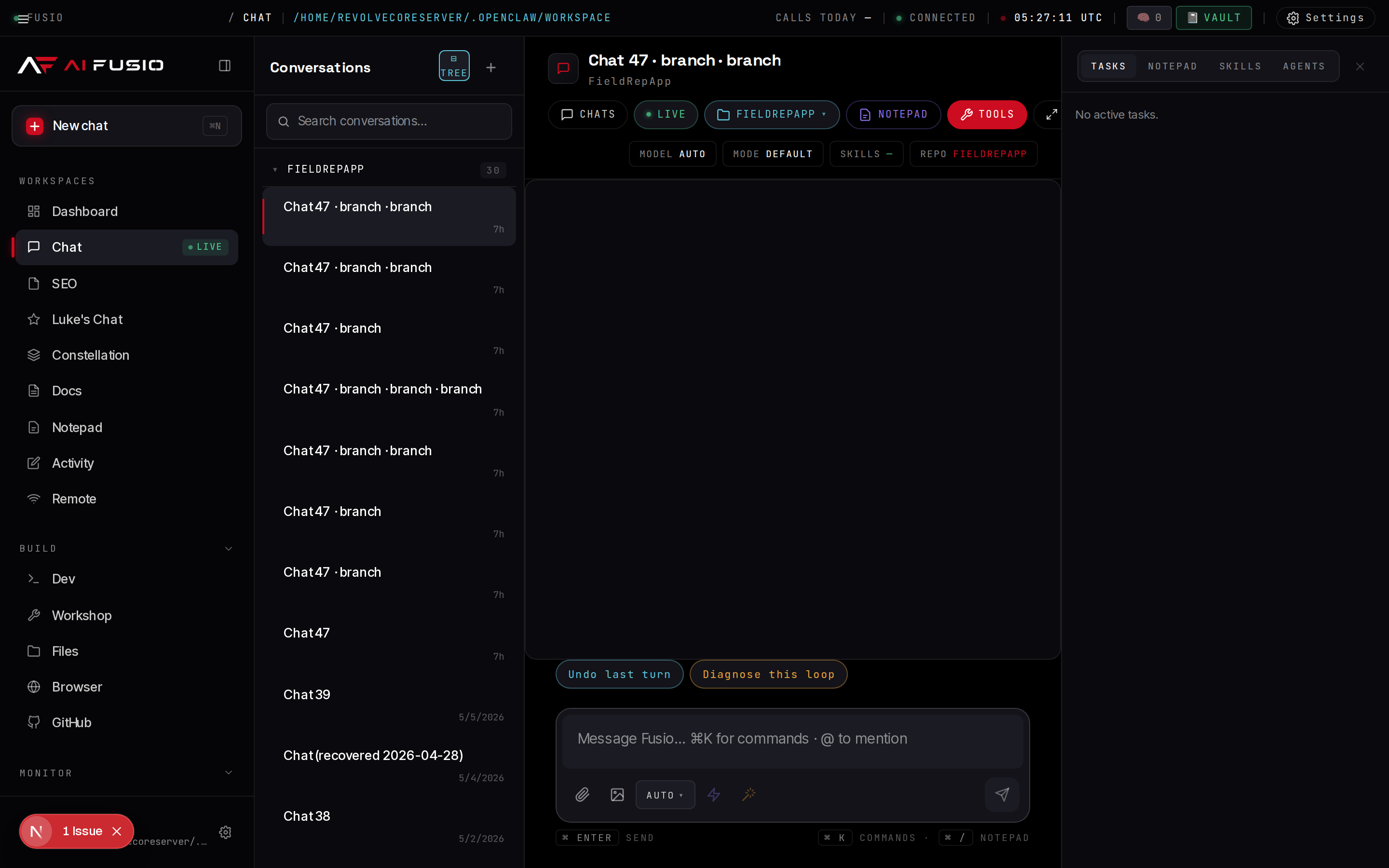
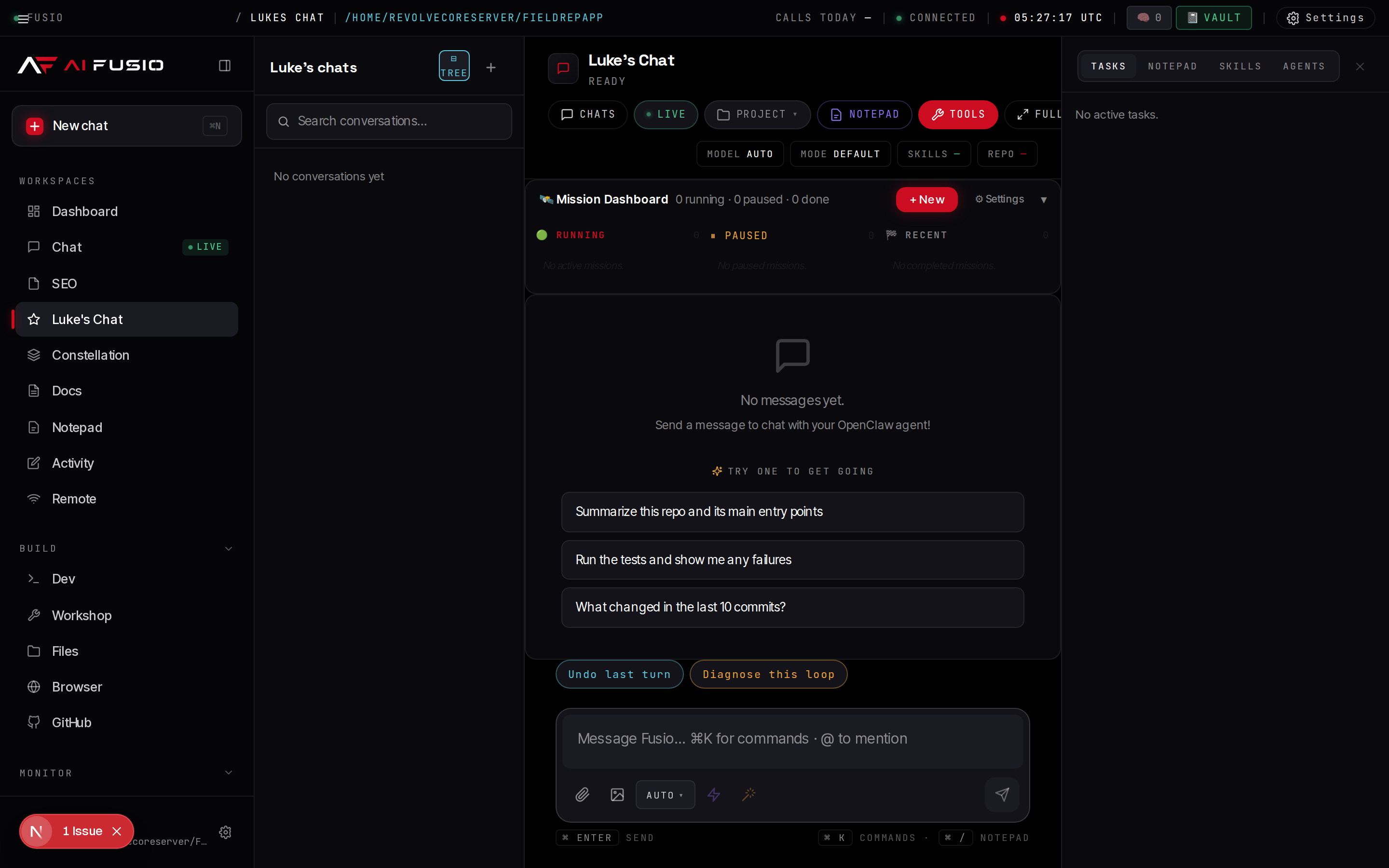
The Fusio design system: ink-dark background, signal-red accents, monospace and Space Grotesk typography, medallion-eyebrow-display headers, restrained palette.
Terminal-look fullscreen mode
Tap the Full pill in any chat to enter terminal mode — monospace, no bubbles, no chrome, just text flowing. Same chat data, different surface. Designed for mobile where every pixel counts.
frontend-design, vercel-cli, nextjs. Memory: 8 observations inlined (2.3 KB).
● Linked the project, deployed preview. The build picked up your next.config.js and shipped a static export.⊰ Baked for 28s
> _
▒▒▒ press ESC or ⌘. to exit fullscreen · shift+enter for newline
Install in 1 command (or 4, your call)
Two install paths. Both end at the same working install on localhost:3001.
Recommended — one-shot via npx
This clones the repo, resets git history so it's your project (not a fork), copies the env example, and runs npm install — all in one command.
npx @aifusiomc/create-fusioThen: cd fusio && npm run dev. Done. Available on npm as @aifusiomc/create-fusio.
— or, the manual way —
Clone the repo
From any directory you like. The repo is __dirname-aware so it works wherever you drop it.
git clone https://github.com/reinvention18/fusio.git
cd fusioInstall dependencies
Next.js 15, React 19, better-sqlite3, Playwright, the Claude Agent SDK — all pulled in by one command.
npm installStart the dev server
For production use: npm run build && npm start. Recommended: pm2 start ecosystem.config.js for auto-restart + log rotation.
npm run devOpen localhost:3001
Drop your Anthropic API key into Settings → Credentials. Add a workspace (the project directory you want the agent to operate on) via the project pill in the chat header. Done. The chat works.
# Just open http://localhost:3001 in your browser on any OSWhat's actually running
The stack is intentional and locked in — one technology per concern, no microservice debugging, no orchestration overhead. Boots in under 5 seconds, survives weeks of uptime.
| Concern | What handles it |
|---|---|
| Web framework | Next.js 15 App Router (RSC, Server Actions, route handlers) |
| UI | React 19, TypeScript 5.7, Tailwind 3.4 + a 43 KB hand-tuned design CSS at public/fusio/mc.css |
| Memory store | better-sqlite3 at data/memory.db (WAL mode, ~50 MB after months of use) |
| Embeddings | @huggingface/transformers running on-device — no external embedding API |
| LLM SDK | @anthropic-ai/claude-agent-sdk — handles subprocess management, JSON tool streaming, session persistence |
| Cross-provider scrutiny | codex CLI for GPT-5; playwright for behavioral validation |
| Process management | PM2 with kill_timeout: 60000 to drain in-flight queries on restart |
| HTTPS termination (for PWA) | Custom Node proxy (https-proxy.js) on port 3443 — terminates TLS, proxies to Next on 3001 |
| Logs | PM2 (~/.pm2/logs/mission-control-*.log); install pm2-logrotate for 100 MB caps + gzip |
| Multi-device live streaming | In-process SSE fan-out (lib/chat-broadcast.ts) — same chat live on Linux + PC + phone simultaneously |
Ports it uses
| Port | What | Required |
|---|---|---|
3001 | Next.js HTTP — main MC UI | Yes |
3443 | HTTPS proxy (PWA installer endpoint) | Only for mobile PWA |
Ports overridable via env vars (PORT, MC_HTTPS_PORT, MC_NEXT_PORT).
Where your data lives
data/
├── chats/<id>.json              # default-namespace chats
├── seo-chats/<id>.json          # SEO namespace
├── lukes-chats/<id>.json        # missions namespace
├── missions/<id>/
│   ├── state.json               # mission state
│   ├── events.jsonl             # event log
│   └── checkpoints/             # per-milestone snapshots
├── pending/
│   ├── <requestId>.json         # in-flight chat turn buffers
│   └── remote-chat/             # in-flight peer call state
├── memory.db (+ .wal, .shm)     # SQLite memory
├── notepads/<id>.json
├── uploads/
├── edit-log.jsonl               # cross-machine edit history
├── key-facts.json               # auto-injected facts
└── .secrets.json (chmod 600)    # encrypted credentials
All of it is just files. Back up data/ and you have a full restorable snapshot.
Tailscale — the recommended way to connect machines
You don't need Tailscale to run AiFusio MC, but if you want the multi-machine bridge or to install the mobile PWA, it's the simplest path. Tailscale is a free WireGuard mesh that gives every device a stable private IP and TLS certs, reachable from anywhere without port forwarding.
Why Tailscale specifically
- Stable private IPs that don't change when you move networks
- Free 90-day TLS certs via
tailscale cert— solves the Chrome "PWA install needs HTTPS" problem in 30 seconds - Encrypted end-to-end (WireGuard)
- No port forwarding, no dyndns, no VPN, no NAT punching
- Free for personal use, up to 100 devices
Install Tailscale on each machine
Linux: curl -fsSL https://tailscale.com/install.sh | sh. Windows / Mac: download installer from tailscale.com/download. iOS / Android: App Store.
Authenticate
Linux: sudo tailscale up — opens a browser login. Other platforms: launch the app and sign in. Each device gets a *.tail<your-tailnet>.ts.net hostname plus a 100.x.y.z private IP.
$ tailscale status
100.93.146.97   my-server   you@   linux   -
100.88.125.30 my-pc you@ windows -Generate a TLS cert (only if you want mobile PWA install)
One command. 90 days valid, auto-renewable.
sudo tailscale cert my-server.tail123abc.ts.net
mv my-server.tail123abc.ts.net.crt certs/tls.crt
mv my-server.tail123abc.ts.net.key certs/tls.key
chmod 600 certs/tls.keyWhitelist the host for Next dev
Set MC_ALLOWED_DEV_ORIGINS to your Tailscale hostname so Next dev's cross-origin check doesn't reject phone requests.
# In .env.local:
MC_ALLOWED_DEV_ORIGINS=https://my-server.tail123abc.ts.net:3443Start the HTTPS proxy
pm2 start ecosystem.config.js
# Boots both 'mission-control' (Next on 3001) and 'mc-https' (proxy on 3443)
# Watch the boot log: "HTTPS proxy running on https://<your-host>:3443"Install the PWA on your phone
Make sure your phone is on the same Tailscale account. Open the HTTPS URL in mobile Chrome. The browser will show "Install AiFusio MC" — tap, accept, and you have a native-feeling app on your home screen with offline support and push.
(Optional) Add a second machine as a peer
Create ~/.config/mc-remote-hosts.json on BOTH machines. Tokens are symmetric — each side knows the other's token.
// On machine A (server):
{
  "myToken": "<random-base64>",
  "myLabel": "Server",
  "myUrl": "http://100.93.146.97:3001",
  "hosts": [
    { "id": "pc", "label": "Workstation",
      "url": "http://100.88.125.30:3001",
      "token": "<token-pc-issued>" }
  ]
}
// On machine B (PC): mirror it with reciprocal entries
{
  "myToken": "<token-pc-issued>",
  ...
  "hosts": [{ "id": "server", ..., "token": "<machine-A-myToken>" }]
}
Both machines now see each other in the Remote tab with reachability dots. The chat agent gets mc_remote_ask, mc_remote_read, and mc_remote_recover tools automatically. The trust file is mtime-watched — edits apply without restart.
Cert renewal (every 90 days)
sudo tailscale cert <your-tailscale-hostname>
# Replace certs/tls.crt and certs/tls.key, then:
pm2 restart mc-https
Or automate with cron: 0 2 1 * * sudo tailscale cert ... && pm2 restart mc-https renews on the 1st of every month at 2 AM.
Don't want Tailscale? Other options
- Single-machine local-only: skip Tailscale entirely. AiFusio MC runs fine on
localhost:3001. No peer bridge or mobile PWA, but everything else works. - Cloudflare Tunnel: free, similar mesh. Use a Cloudflare cert +
MC_CERT_PATH/MC_KEY_PATHenv vars. - mkcert + LAN: home network only. Generate a self-signed cert with mkcert, install the CA on each device, point env vars at the mkcert output.
- Let's Encrypt: only if MC is on a real public domain — generally not recommended for a single-user tool.
Complete setup walkthrough
If the "4 commands" version (above) didn't get you fully set up, this is the full operator-grade walkthrough per OS.
System requirements
- Node.js 22+ (LTS recommended)
- ~4 GB RAM idle, 8 GB+ for active use (heap config raises Node to 8 GB)
- ~2 GB disk for node_modules + chat data growing over time
- Anthropic API key (pay-as-you-go; ~$5 funds weeks of light use)
- Optional: OpenAI API key for cross-provider scrutiny in missions
- Optional: Tailscale for multi-machine + mobile PWA
Linux step-by-step
Install Node 22 + PM2 + Git
# Ubuntu / Debian
curl -fsSL https://deb.nodesource.com/setup_22.x | sudo -E bash -
sudo apt-get install -y nodejs git
sudo npm install -g pm2

# Fedora / RHEL
sudo dnf install -y nodejs git
sudo npm install -g pm2Clone and install
cd ~
git clone https://github.com/reinvention18/fusio.git
cd fusio
npm install # ~2-5 min, pulls Playwright + transformersConfigure env (minimal)
The bare minimum is your Anthropic API key. Everything else can be set later via the in-app Credentials panel.
cp .env.example .env.local
# Edit .env.local — add ANTHROPIC_API_KEY=sk-ant-...Start under PM2 + enable boot persistence
pm2 start ecosystem.config.js
pm2 save              # persist process list
pm2 startup           # generate systemd unit so MC survives reboot
# Follow the printed sudo command to enableOpen the app
xdg-open http://localhost:3001
# Drop API keys into Settings → Credentials
# Add a workspace via the project pill in any chat header
# Send your first message
Windows step-by-step
Install Node 22, Git, PM2
Use the official Node installer from nodejs.org (v22 LTS .msi). Install Git for Windows. Then:
npm install -g pm2 pm2-windows-startup
pm2-startup installClone and install
cd C:\
git clone https://github.com/reinvention18/fusio.git
cd fusio
npm installConfigure env + start
copy .env.example .env.local
# Edit .env.local — add ANTHROPIC_API_KEY
pm2 start ecosystem.config.js
pm2 save
The bundled start-mission-control.bat at repo root does all of this in one double-click — for users who'd rather click than type.
macOS step-by-step
Install via Homebrew
brew install node@22 git
npm install -g pm2
cd ~
git clone https://github.com/reinvention18/fusio.git
cd fusio
npm install
cp .env.example .env.local
# edit .env.local, then:
pm2 start ecosystem.config.js
Verify it's running
pm2 status                                  # 'mission-control' should be online
curl http://localhost:3001/api/git/status   # should return JSON
open http://localhost:3001                  # macOS — open the UI
If something doesn't work — the fusio-debug Claude Code skill
The repo ships with a bundled Claude Code skill at .claude/skills/fusio-debug/SKILL.md that's specifically built to diagnose and fix AiFusio MC issues. When Claude Code runs in your cloned repo, the skill auto-loads on prompts like "fix mc", "mc is broken", "chat is hung", "mission stuck", etc.
The skill covers 13 known failure modes with diagnostic commands + fix sequences:
- Wedged PM2 (online but unreachable)
- White screen on load (V2 minifier TDZ pattern)
- Chat hung / stop button unresponsive
- Missions stuck
- Memory DB corrupted
- Chat sessions vanished
- Skill not loading
- Cross-machine bridge silently absent
- Logs too big (no pm2-logrotate)
- Approval gate bypass (allow-listed surface)
- Mobile PWA broken (cert expired)
- Terminal mode empty
mc_remote_asktruncated
Plus a "diagnostic sweep" command sequence for when none of the above match, a list of key files to know, and 10 known footguns to read BEFORE editing the codebase. Run Claude Code in your fusio directory and ask "fix mc" to see it in action.
How to use it
The chat is the front door. From there you reach everything else. Full guide in the repo at docs/HELP_GUIDE.md.
Send a message
Type into the composer. Press Enter to send. Shift+Enter for newline. The agent decides what skills to load based on your prompt — you'll see them in the chip bar after sending.
Start a mission (long-running multi-agent build)
Top nav → Luke's Chat. Pick a preset (frontier-mixed for most work, full-force for ship-or-die, budget for cheap recon). Write the goal in the composer — describe the deliverable, not the steps. The orchestrator drafts a plan with typed assertions; you approve. Then it runs phase-by-phase, with parallel scrutiny lanes. Survives MC restarts. Checkpoints + rewind included.
Add a peer machine (cross-machine bridge)
Create ~/.config/mc-remote-hosts.json on each machine with symmetric bearer tokens:
{
  "myToken": "shared-token-here",
  "myLabel": "Server A",
  "myUrl": "http://10.0.0.5:3001",
  "hosts": [
    { "id": "b", "label": "Workstation B",
      "url": "http://10.0.0.6:3001",
      "token": "shared-token-here" }
  ]
}
Both machines need each other in their hosts. Once set, the Remote tab on each shows the other's MC as an embedded iframe with a reachability dot. The chat agent gets mc_remote_ask / mc_remote_read / mc_remote_recover MCP tools.
Install as a mobile PWA
Generate HTTPS certs for whatever hostname your phone will reach (Tailscale's tailscale cert, Let's Encrypt, mkcert, etc). Drop them at certs/tls.crt and certs/tls.key. Start the HTTPS proxy (node https-proxy.js or via PM2's mc-https app). Visit the HTTPS URL on your phone and Chrome will offer to install the PWA.
Add a custom skill
Drop a SKILL.md with frontmatter into one of the 5 source repos under ~/:
---
name: my-skill
description: When to use this. The agent sees this in mc_list_skills.
triggers:
  - "fix the alignment"
  - "tighten the layout"
---

# My skill body — under 5.5 KB inline cap, longer is fine but truncates.

## When to use
...

## How to apply
...
Verify with curl 'http://localhost:3001/api/debug/match-probe?text=your+trigger+phrase'. If bytesInlined > 0 for your skill, it's wired.
How it compares
Not because we want to dunk on commercial tools — because the differences are real and structural.
| Feature | AiFusio MC | Most commercial agent tools |
|---|---|---|
| Per-turn auto skill loading | 400+ skills, regex-matched, inline-injected | @-mention or system prompt only |
| Memory | SQLite + local embeddings, semantic retrieval, cross-session | Chat history scrollback, no semantic search |
| Multi-provider scrutiny | Built-in (Claude + Codex + Playwright) | Single provider |
| Validation contract | Typed assertions before code, behavioral testing | "Trust me" workflow |
| Cross-machine | SSE bridge, peer view as iframe, resumable RPC | Single device or proprietary sync |
| Mobile | PWA + terminal-look fullscreen + sync-replay | Web view in a mobile container |
| Pricing | $0 forever. Bring your own API key. | $20/mo+, often per-seat |
| Where your data lives | data/ on your disk | Their cloud, their retention policy |
| License | MIT — fork, modify, sell | Closed source |
The kind of teams who get the most out of this
AiFusio MC was shaped by real client work across AI Fusio's target industries. Here's where it fits naturally.
Contractors & trades
Roofers, GCs, restoration, HVAC, plumbing, electrical. Use Missions to run multi-stage job workflows (estimate → quote → schedule → invoice). Cross-machine bridge handles field/office split.
Home services
Pest, landscape, pool, cleaning, handyman. Voice AI front desk + dispatch + customer comms. Memory layer captures recurring customer preferences across years.
Professional services
Law, accounting, insurance, real estate. Document intelligence + matter management + client portal. Approval gate keeps regulated workflows compliant.
Medical & wellness
Dental, chiro, therapy, med spas, PT. Intake + scheduling + insurance + recall. Cross-provider scrutiny for clinical documentation. HIPAA-compliant configurable.
Multi-location local
Gyms, restaurants, franchises, auto. Per-location workspaces in one AiFusio MC. Multi-machine bridge keeps the corporate office and the locations in sync.
Manufacturing & distribution
Inventory + supplier comms + shop-floor operator AI. Long-running missions handle production scheduling. Memory layer learns from QC patterns over time.
Solo operators & consultants
The single-user version of AiFusio MC runs entirely on your laptop. Everything we'd build for a 200-person company, scaled down to one person. No SaaS, no per-seat cost.
Internal AI ops teams
Already have an AI team? Use AiFusio MC as the substrate they extend — add your own skills, MCP tools, panels, mission roles. The 8000-line ChatPanel and the MCP fabric are yours to fork.
Developers & tinkerers
If you've ever wanted a "Claude Code but with persistent memory and multi-agent flows and a real UI," this is that. MIT licensed. Fork and ship your own.
Want this customized to run your business?
Cloning AiFusio MC gets you the platform. AI Fusio builds the actual integration — your CRM, your phones, your documents, your team's specific workflows. We take this same codebase and shape it around your business, train your team, and operate it as your AI department for as long as you need.
| If you | You probably want |
|---|---|
| Just want to try it on your laptop, see if AI agents are useful | Clone the free repo — install in 4 commands, drop in your API key, done. |
| Have a specific workflow you'd love to automate but don't want to build it yourself | AI Opportunity Audit — $2,500, gives you a prioritized roadmap and a working pilot. |
| Want a complete AI integration done for your business (CRM, phones, docs, workflows) | AI Integration & Build — from $10,000, scoped to your specific systems. |
| Want AI Fusio to operate and expand your AI systems month over month | Managed AI Department — from $1,500/month retainer. |
Why this is different from what's on the market
Most agentic tools fall into one of two camps. AiFusio MC is in neither — and the difference matters when you actually try to use AI for real work.
Camp 1: SaaS agent platforms
Pretty UIs, locked into someone's cloud, $20–$200/seat/month, your data lives on their servers under their retention policy. Great for getting started, frustrating once you scale: features arrive when they decide, integrations are limited to what they wire up, every feature gate is a billing surface.
Camp 2: Raw API wrappers
"It's just an HTTP call to OpenAI." Technically true, missing everything that makes agentic work actually work — memory, tool calling, multi-step orchestration, audit trails, approval gates, multi-provider scrutiny. You end up rebuilding a worse version of AiFusio MC in-house and discovering it takes 6 months.
AiFusio MC: the third way
Self-hosted, full source, your data on your hardware. But not a kit-of-parts you have to assemble — it's a working platform with 400+ skills, persistent memory, multi-agent missions, multi-machine bridge, mobile PWA, and a polished UI built in. The free single-user version is enough to run a solo business or experiment with agents. The customized version is what AI Fusio implements for clients.
Why AI Fusio gives it away free
Because the work isn't the codebase. The work is taking this platform and shaping it to the specific shape of your business — your CRM, your phones, your documents, your data, your processes, your team. The codebase is a starting point. The integration is the deliverable. We're confident the best people to do that integration are the ones who wrote the platform.
FAQ
Bite-sized answers. Full FAQ in the repo at docs/FAQ.md.
Is this really free?
What's the catch?
Does the chat use memory automatically?
<mem_observations> block alongside the user prompt. The agent can also call mc_mem_search for semantic search across all sessions.What's a mission vs a team vs solo chat?
Mission: 1–5 day deliverable, validation contract, scrutiny + checkpoints + auto-resume.
Team: multi-stream parallel work — 3+ specialists working in parallel on one feature.
Why does it use both Claude and Codex?
all-anthropic preset if you don't have an OpenAI key, but you'll see a mix-provider warning at mission start.What's "terminal-look" mode?
Full pill in any chat header (or press ⌘. / Ctrl+.). The chat surface becomes monospace, no bubbles, no avatars, no multi-button composer — just messages flowing with a > prompt. Designed for mobile PWA where every pixel counts. Same chat data, same agent, just a different surface.What happens if my computer restarts mid-call?
data/pending/ every 2 seconds and recover on boot. In-flight peer calls (cross-machine) persist similarly and recover via mc_remote_recover. In-flight missions persist their entire state and re-attach to the runner on boot. You don't lose work to a restart.Does it work on Windows?
os.homedir() so the same code works on Linux + Windows + macOS. PM2 + Node 22 is the stack on every OS.How do I add my own skills?
SKILL.md with frontmatter (name, description, optional triggers) into one of the 5 source repos under your home dir, OR add a regex trigger to lib/skills-mcp.ts SKILL_TRIGGERS. Verify with /api/debug/match-probe?text=.... See HELP_GUIDE.md §6.What if I want help deploying this for my business?
Try it free, or have us build the real thing
The open-source version of AiFusio MC is a complete agentic console you can install in 4 commands. The customized-for-your-business version is what AI Fusio actually delivers. Both paths start by talking to us — or not.
Path 1 — DIY (free)
Clone the repo. Drop your Anthropic API key into Settings. Add your workspace. Start chatting. MIT licensed, fully local, no telemetry, no sign-up. The full docs, FAQ, and architecture reference live in the repo.
Path 2 — AI Fusio builds it for you
We take this same platform and integrate it into your CRM, phones, documents, workflows. AI Opportunity Audit from $2,500. Full Integration & Build from $10,000. Managed AI Department from $1,500/month.
Want to dive deeper into the technical side first?